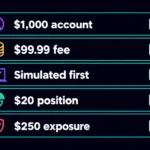


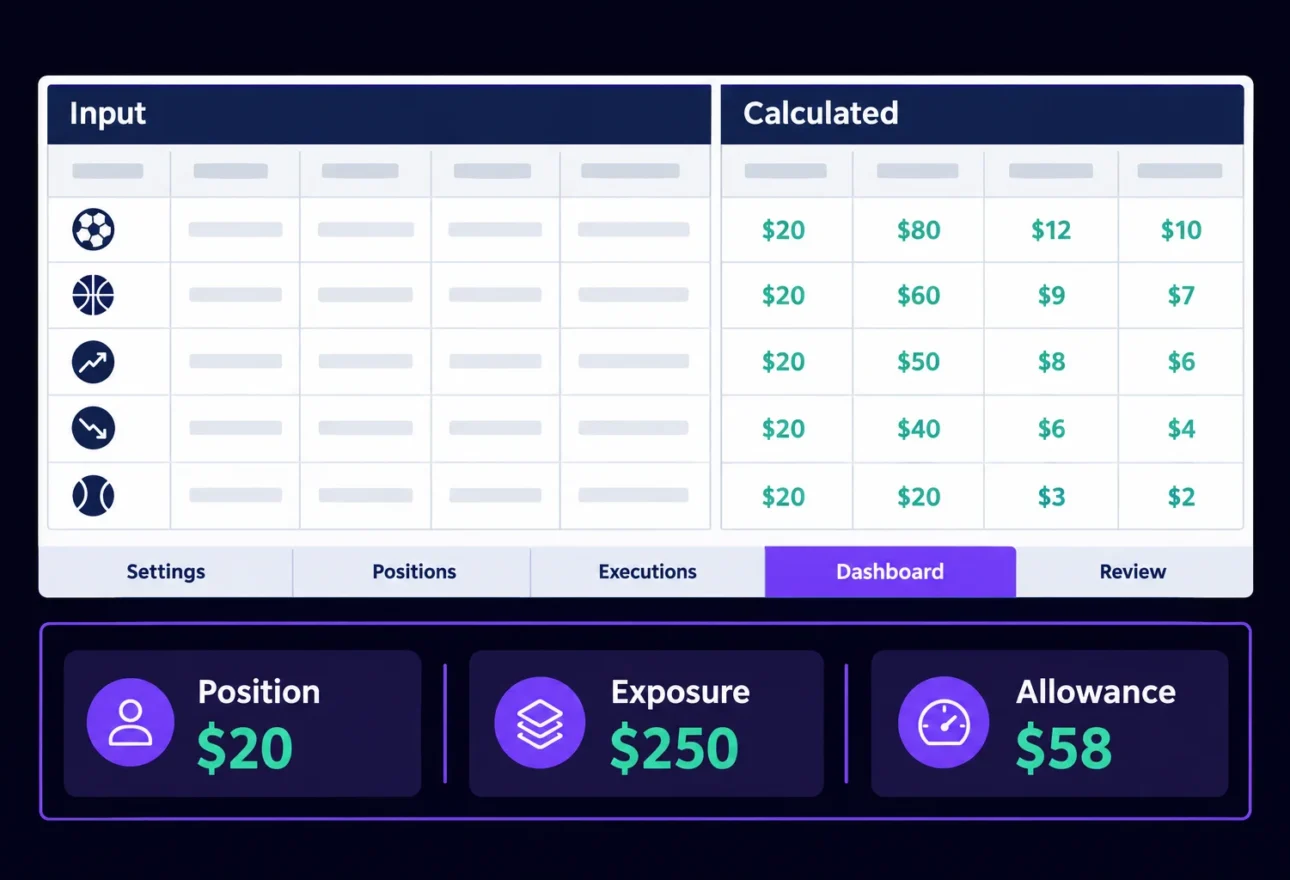
A useful trading journal template separates positions, execution costs, aggregate exposure and remaining drawdown allowance rather than recording profit alone. Build five tabs in Excel or Google Sheets; for an OddsFantasy $1,000 account, the worked-example limits are $20 per position, $250 maximum exposure and a $100 maximum drawdown allowance.
This layout focuses on spreadsheet mechanics. For the broader checklist of what to record and why, start with What Should a Trading Journal Include?. The aim here is a workbook you can reconcile, inspect before a trade and review without rewriting your history.
How should you structure the spreadsheet?
Create five tabs named Settings, Positions, Executions, Dashboard and Review. Use one account and one reporting currency per workbook. Give every position a unique ID, and reuse that ID for its executions and costs.
- Settings: account size, rule percentages, dollar limits and the latest verified remaining drawdown allowance.
- Positions: one row per position, including quantities, prices, exposure and decision notes.
- Executions: one row per fill, including reference price, actual price and charged costs.
- Dashboard: account-wide totals and proposed-trade checks.
- Review: process observations and specific changes to test.
Keep inputs visually distinct from formulas, protect calculated cells and use consistent status labels. The price calculations below cover fully paid long event contracts quoted in dollars per contract. Do not apply them unchanged to short positions, lay liability or other payoff structures.
How do you enter funded-account limits?
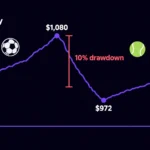
Example: a $1,000 OddsFantasy funded account. Every OddsFantasy funded account has a 2% maximum position size, 10% maximum drawdown and 25% maximum exposure. These are OddsFantasy rules, not universal trading standards.
- Settings!B1: account size, entered as 1000.
- Settings!B2: position-size percentage, entered as 2%; C2: =B1*B2, returning $20.
- Settings!B3: drawdown percentage, entered as 10%; C3: =B1*B3, returning $100.
- Settings!B4: exposure percentage, entered as 25%; C4: =B1*B4, returning $250.
- Settings!B5: remaining drawdown allowance, copied from the verified account record; C5: its verification timestamp.
The $100 figure is the headline maximum drawdown amount, not automatically the amount still available. Read OddsFantasy’s Terms and Conditions for the applicable drawdown calculation and detailed rule definitions; configure the workbook accordingly. Until those definitions are matched, treat its exposure totals as monitoring estimates rather than authoritative compliance checks.
Which columns belong in the Positions tab?
Use the following column layout. Enter quantities and weighted-average prices from the execution records, then reconcile them to the account statement. Multiple fills in the same position belong under one position ID, not separate rows that disguise its total size.
- A–F: Position ID, Opened at, Event, Market, Strategy, Status.
- G–K: Quantity bought, Average entry price, Quantity sold, Average exit price, Current price.
- L–Q: Entry cost, Open cost exposure, Gross realized P&L, Unrealized P&L, Charged costs, Net booked P&L.
- R–T: Entry reason, Exit rule, Review note.
For a sports position, name the event and exact market, such as a generic football match and “Under 2.5 goals.” For another prediction market, record the contract’s exact outcome. Preserve settlement and resolution details alongside the position when they affect your decision.
Which formulas calculate position results?
Enter these formulas in row 2 and copy them down. Quantities must satisfy 0 ≤ quantity sold ≤ quantity bought. Update weighted-average prices carefully after additional fills; this template does not automate inventory accounting.
- L2, entry cost: =G2*H2
- M2, remaining acquisition-cost exposure: =(G2-I2)*H2
- N2, gross realized P&L: =IF(I2=0,0,I2*(J2-H2))
- O2, unrealized P&L: =(G2-I2)*(K2-H2)
- P2, charged costs: =SUMIFS(Executions!G$2:G$1000,Executions!B$2:B$1000,A2)+SUMIFS(Executions!H$2:H$1000,Executions!B$2:B$1000,A2)
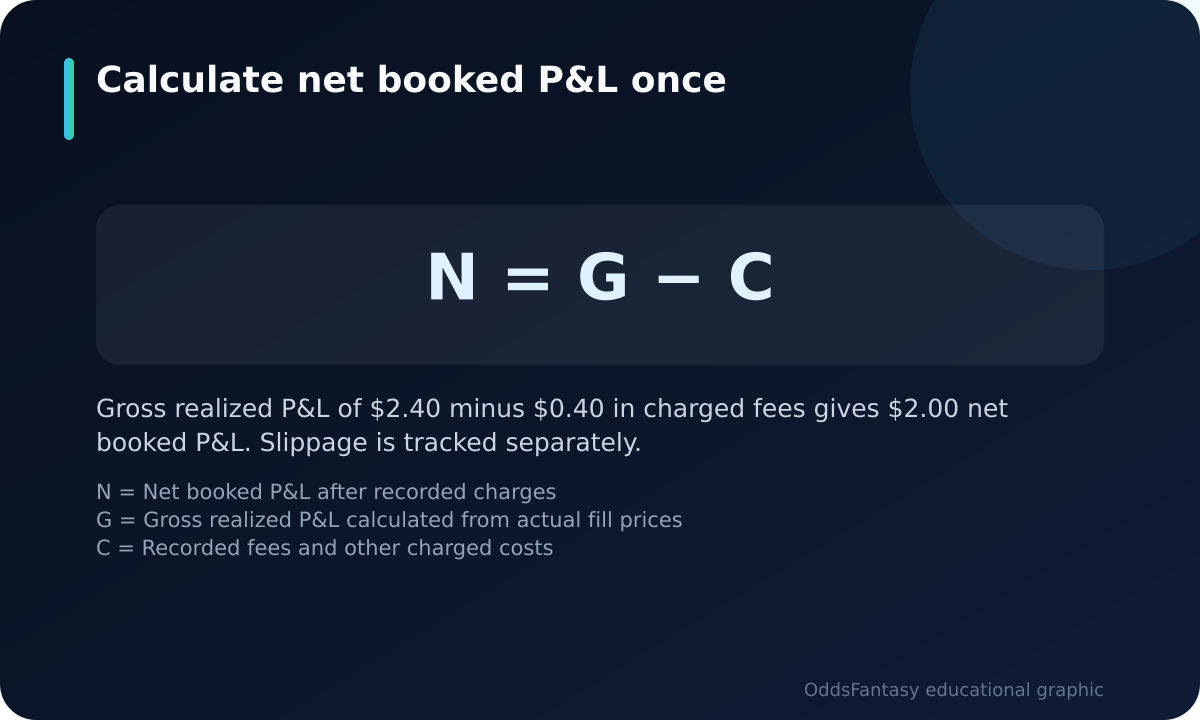
- Q2, net booked P&L: =N2-P2
Net booked P&L deducts every recorded charge, including charges on still-open positions. It is a workbook measure, not necessarily the account provider’s accounting presentation. Open cost exposure measures remaining acquisition cost, not current market value or a universal definition of funded-account exposure.
Microsoft’s SUMIFS documentation explains that the sum range comes first, followed by criteria ranges and criteria. Keep every referenced range the same dimensions. Extend the 1000-row boundary consistently before your journal exceeds it.
How do you record execution costs without double-counting?
Give Executions these columns: A Timestamp, B Position ID, C Side, D Quantity, E Reference price, F Fill price, G Fees, H Other charged costs and I Adverse slippage. Use Buy and Sell consistently in column C. Enter charges once, as positive amounts.
In I2, enter =IF(C2="Buy",(F2-E2)*D2,(E2-F2)*D2). Positive slippage means execution was worse than the recorded reference; negative slippage means it was better. Record the reference when deciding to trade, rather than selecting a convenient price afterward.
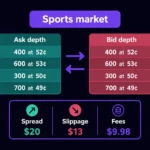
A purchase of 40 contracts at $0.50 costs $20. If the reference was $0.49, adverse entry slippage is $0.40. Selling all 40 at $0.56 produces $2.40 gross P&L; with $0.20 entry fees and $0.20 exit fees, net booked P&L is $2.00.
Do not subtract the $0.40 slippage again: actual fill prices already incorporate it. Slippage diagnoses execution quality; fees and other charges reduce the result separately. The CFTC’s event-contract guidance advises customers to understand commissions, fees, penalties and other costs, and notes that taxes can also affect returns. This template reports before tax.
How should the dashboard check a proposed trade?
Keep position size, account-wide exposure and drawdown allowance in separate cells. They answer different questions: how large this position is, how much exposure is already open, and how much loss allowance remains under the account rules.
- Dashboard!B2, current open cost exposure: =SUM(Positions!M2:M1000)
- B3, proposed position cost: manual input.
- B4, projected exposure: =B2+B3
- B5, position check: =IF(B3<=Settings!C2,"WITHIN LIMIT","OVER LIMIT")
- B6, exposure check: =IF(B4<=Settings!C4,"WITHIN LIMIT","OVER LIMIT")
- B7, remaining drawdown allowance: =IF(Settings!B5="","VERIFY",Settings!B5)
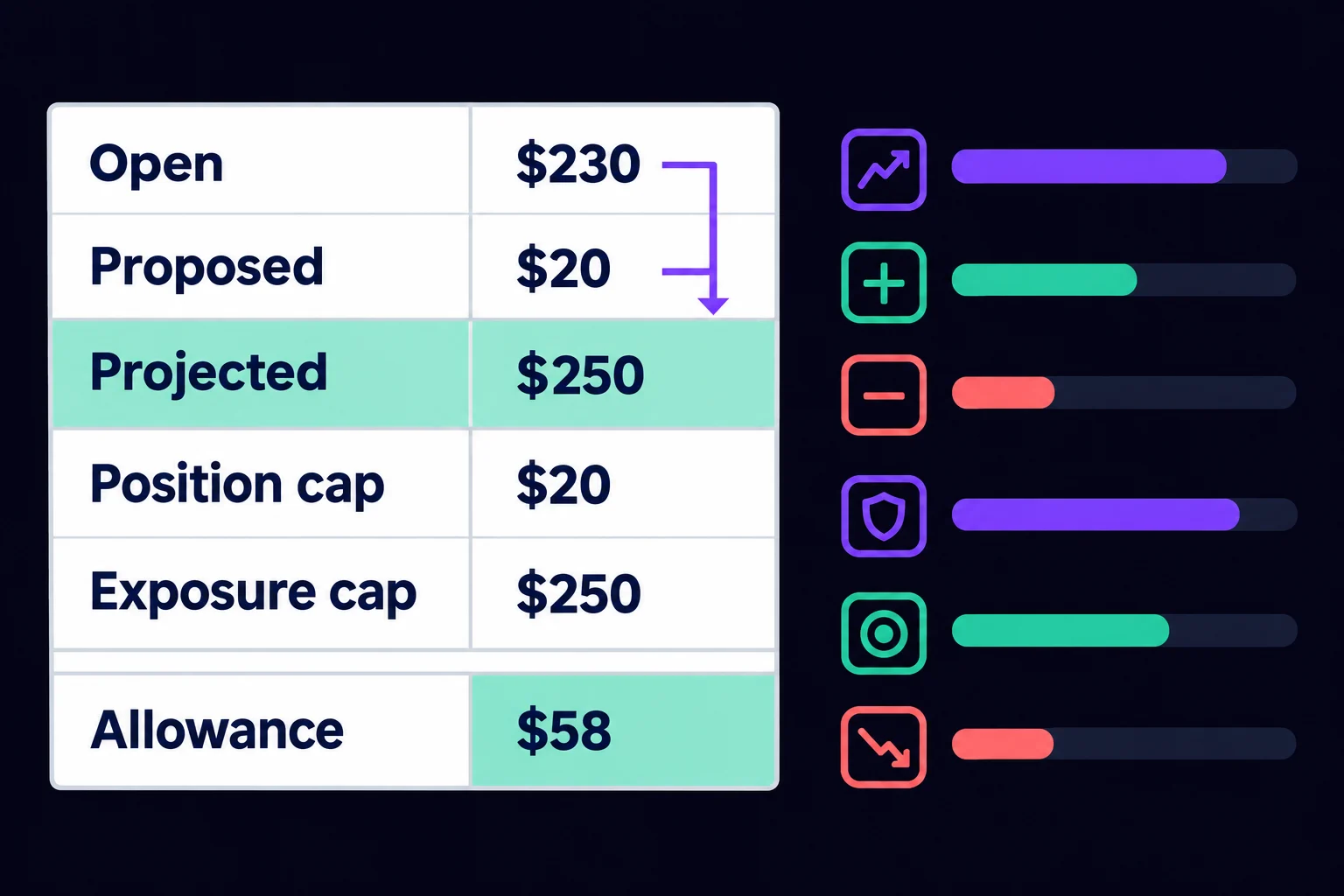
With $230 already open, adding $20 brings projected exposure to $250. Adding $21 instead fails both the $20 position limit and the $250 exposure limit. If adding to an existing position, check its resulting total size, not just the new order.
Suppose the verified remaining drawdown allowance is $58. Display $58 separately; do not replace it with the $20 position cap or $20 unused exposure capacity before the trade. A within-limit flag is not permission to trade, and a stale allowance should trigger verification rather than reassurance.
How do you turn journal data into useful reviews?
Use Review columns for Date, Position ID, Planned action, Actual action, Process error and Next test. Write observable notes: “Entered before checking aggregate exposure” is more useful than “poor discipline.” Keep outcome and process separate so a profitable mistake does not become an approved habit.
Google’s spreadsheet function reference describes FILTER, SORT and UNIQUE. In Google Sheets, =FILTER(Positions!A2:T1000,Positions!F2:F1000="Open") creates an open-position view. =UNIQUE(Positions!E2:E1000) lists strategy labels, while =SORT(Positions!A2:T1000,17,TRUE) orders results by net booked P&L. These views support inspection, not proof of an edge.
How does the journal fit an OddsFantasy funded account?
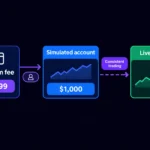
OddsFantasy funded accounts start on simulated capital from day one, with no evaluation challenge. The $1,000 account has a $99.99 one-time platform fee and includes the trading terminal, education library, AI-assisted trading, Positive EV signals and premium support.
Traders who stay within the rules and trade consistently move up to live capital on prediction markets, where performance rewards are up to 90% of profits generated. The journal supports that discipline by making exposure, costs and decision errors visible; it cannot guarantee progression or profitable trading.
Frequently asked questions
Can I use this trading journal template in Excel and Google Sheets?
Yes. The core calculations use SUM, SUMIFS and IF. Keep the tab names and column references consistent, and adapt formula separators if your spreadsheet locale requires them. The FILTER, SORT and UNIQUE review examples are presented for Google Sheets.
What is the difference between position size and aggregate exposure?
Position size measures an individual position. Aggregate exposure combines the exposure of all open positions. In the $1,000 OddsFantasy example, the limits are $20 per position and $250 total exposure. The workbook’s acquisition-cost exposure measure must be aligned with the applicable account definitions before being used for compliance.
Should I subtract slippage from trading profit?
Not again when profit is already calculated from actual fill prices. Record slippage separately to compare execution with your decision-time reference price. Deduct charged fees and other costs once.
Can I calculate remaining drawdown allowance from closed trades alone?
Do not assume so. Use the account’s applicable drawdown methodology and verified account record. Keep remaining drawdown allowance separate from realized P&L, unrealized P&L and unused exposure capacity.
How should I record partial exits?
Keep each fill in Executions under the same position ID. Update quantity sold and weighted-average exit price in Positions, while retaining the remaining quantity and its current price. Reconcile the result to account records, particularly when additional entries and exits are interleaved.
Sources
- Microsoft Support: SUMIFS function | Microsoft Support
- Google: Google Sheets function list – Google Docs Editors Help
- Commodity Futures Trading Commission (CFTC): Understanding Prediction Markets and Event Contracts | CFTC
Trade responsibly: only trade what you can afford to lose. 18+.